How to build a weekly "startups hiring freshers" list without copy-paste
Pull startup roles from Instahyre and Internshala, filter them in Google Sheets, and refresh the list every week without copying a row.
 Devansh TiwariAuthor
6 min read
Run the Instahyre and Internshala Actors, export both as CSV, keep small and young companies in Google Sheets, then schedule both runs weekly so only new roles appear. At Free plan prices, 300 rows from each board costs about $0.42 a week, or $0.45 with the Instahyre job details you need to filter by experience.
On this page
Why the weekly list is a copy-paste job
In India, a fresher is a new graduate with up to a year of work experience. A startups-hiring-freshers list is a weekly sheet of young, small companies with roles open to them.
Most startup lists for freshers are built by hand. Someone opens a few job boards, copies the rows that look right into a sheet, and repeats it next week.
People already sell this list. A Gumroad listing is titled "Top 500+ Startup Companies in India for Fresher Developers to Apply for Job". A Substack post from January 2025 links to spreadsheets of Indian companies and the career pages of firms hiring freshers. Both pages loaded when we checked on 31 October 2026.
This post shows how to build the same kind of list from two exports, and how to refresh it every Monday. It is written for someone who curates a list for a newsletter, a community or a paid pack.
Disclosure: GetAScraper (that's us) built both Actors used below.
What counts as a startup
No job board marks a company as a startup, so the rule is yours. The Actors give you two numbers to build it from.
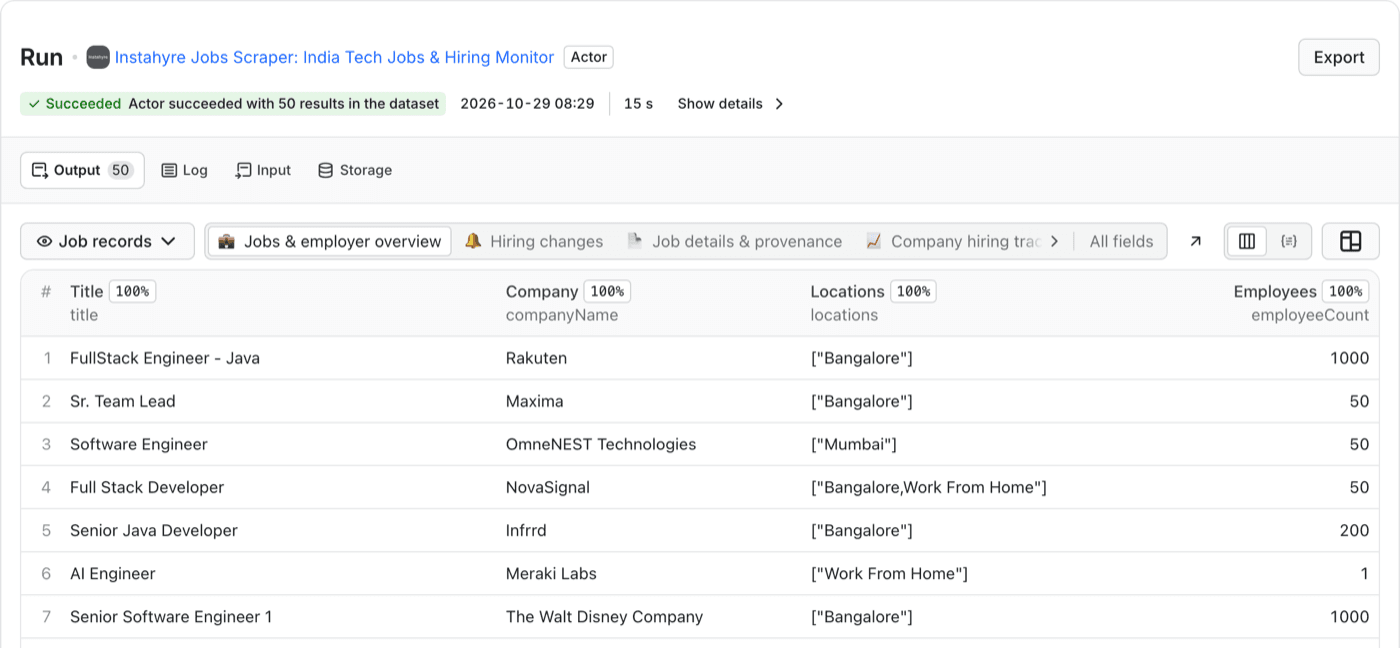
Instahyre rows carry employeeCount and companyFounded. In our run the size values were 1, 10, 50, 200, 500 and 1000. Treat it as a size band, not a headcount.
Our rule for this post is simple:
Instahyre tab, keep a row when
  employeeCount   is 50 or less
  companyFounded  is 2018 or later
Pick your own cut-offs. The point is that the rule is written down and applied the same way every week.
Step 1: pick two sources
We use two boards, because each covers a different gap.
- Instahyre lists tech and business roles and tells you how big and how old the employer is. It does not publish when a job was posted, and its rows have no experience range unless you switch on Fetch job details.
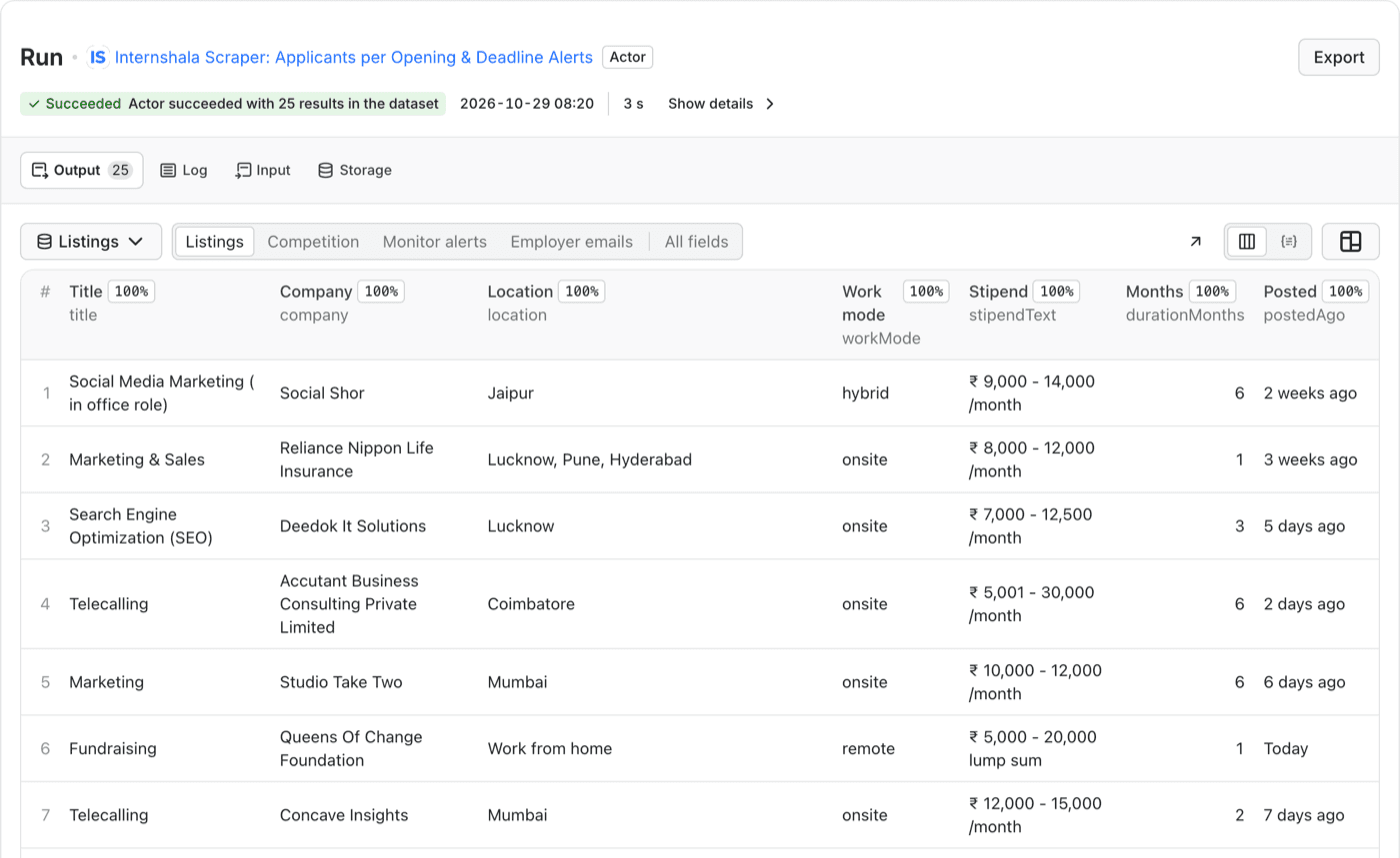
- [Internshala](https://apify.com/getascraper/internshala-scraper) lists internships and fresher jobs, with the posting age on every row. It does not tell you the size of the company.
So Instahyre answers "is this a startup" and Internshala answers "is this for a fresher". Keep them on separate tabs.
Step 2: run both and export the CSV
Open each Actor, set your filters and press Start.
On Instahyre, set Job functions and Locations. If you want fresher roles only, turn on Fetch job details, which adds experienceMin and experienceMax. Details cost a little extra per job.
On Internshala, choose Jobs or Internships under What to scrape. For jobs, set Maximum required experience to 1. Set Posted within to the last 7 days and sort by newest.
When the run finishes, press Export and choose CSV.
Step 3: apply your startup rule in Google Sheets
In Google Sheets, choose File, then Import, then Upload, and insert the CSV as a new sheet. Do it once per board.
On the Instahyre sheet:
- Select the header row and choose Data, then Create a filter.
- On the
employeeCountcolumn, filter by condition Less than or equal to 50. - On the
companyFoundedcolumn, filter by condition Greater than or equal to 2018. - Copy the visible rows to a tab called This week.
In our export the columns are in alphabetical order, so employeeCount landed in column M and companyFounded in column D. Yours will shift if you turn on details, so check the header row.
On our 50-row run, 27 rows came from companies with 50 employees or fewer. 22 of those, from 18 companies, were also founded in 2018 or later. That is one job function in one run, so treat it as a sample.
On the Internshala sheet there is nothing to filter for size. Skim the company column and move the startups you recognise into This week by hand.
Step 4: make it weekly
Weekly means two settings.
- On Instahyre, set Output mode to changes only and give the run a Monitoring state name. Instahyre never publishes a posting date, so this is how you get only the roles that appeared since the last run.
- On Internshala, give the run a Monitor name. The first run saves a baseline. Later runs with the same name return only new and changed listings.
Then open Schedules in the Apify Console and create a schedule. Per Apify's documentation, it uses cron expressions, an Actor must have run once before you can schedule it, and a new schedule starts disabled. For every Monday at 8 AM, use 0 8 * * 1.
Each Monday, export the two datasets, import them, apply the rule and paste the rows into your list. The exports hold only what is new, so there is nothing to compare by hand.
What it costs
At the time of writing, on the Free Apify plan:
- Instahyre charges $0.00105 per job, plus $0.0001 per job if you fetch details.
- Internshala charges $0.00035 per listing.
- Each run adds a $0.00005 start charge.
For 300 rows from each board that is about $0.32 for Instahyre and $0.11 for Internshala, so roughly $0.42 a week. With Instahyre job details switched on for fresher filtering, Instahyre comes to about $0.35 and the week to about $0.45. Check each Actor page for current rates, since Apify can change them.
What this will not do
- It does not define a startup. The rule above is a judgement. A company founded in 2018 with 50 employees can be well funded or struggling, and the data does not say which.
- Company size is a band. Instahyre publishes round values, so 50 can mean anything inside its band.
- Instahyre has no posting date. Changes-only mode shows what is new to you, not when the employer posted it.
- Fresher roles are thin on some boards. We left CutShort out because only 7 of 100 rows in our run on 29 October 2026 asked for one year of experience or less.
- It reads public listings only. Nothing behind a login is collected.
Questions people ask
Can I sell the list?
We cannot give legal advice. Read each board's terms and the rules where you sell. If you publish company names, check the listing links still work before each issue.
How do I stop repeating last week's roles?
Use the changes-only settings in step 4, and keep a Published tab of rows you already sent.
Does the Actor apply for jobs?
No. It collects public listing data and nothing else.
Want the startup column for your own list?
Open the Instahyre Jobs Scraper